VLANs & 802.1Q trunking
Use this when: you split a switch into separate networks, carry them between switches on a trunk, or route between them.
Text version
Everything on the sheet, as plain HTML: handy for screen readers, copy-paste and search.
The 802.1Q tag
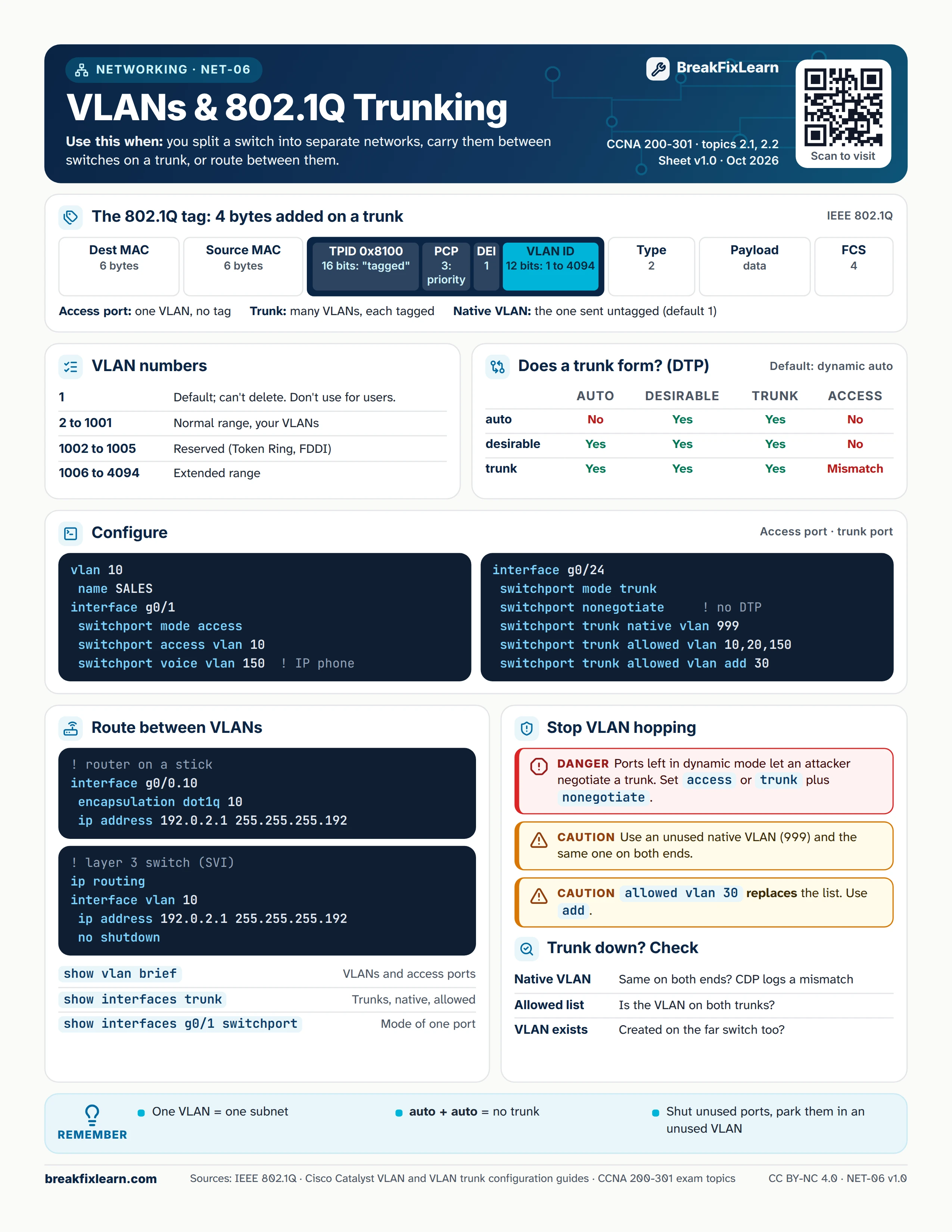
A trunk adds a 4-byte tag between the source MAC and the Type field of each Ethernet frame.
| Field | Size | Purpose |
|---|---|---|
| TPID | 16 bits | 0x8100 marks the frame as tagged |
| PCP | 3 bits | Priority (QoS) |
| DEI | 1 bit | Drop eligible |
| VLAN ID | 12 bits | 1 to 4094 |
An access port carries one VLAN with no tag. A trunk carries many VLANs, each tagged. The native VLAN is the one sent untagged (VLAN 1 by default).
VLAN numbers
| Range | Meaning |
|---|---|
| 1 | Default; can't be deleted. Don't use it for users. |
| 2 to 1001 | Normal range, your VLANs |
| 1002 to 1005 | Reserved (Token Ring, FDDI) |
| 1006 to 4094 | Extended range |
Does a trunk form? (DTP)
Switch ports default to dynamic auto.
| One side | auto | desirable | trunk | access |
|---|---|---|---|---|
| auto | No | Yes | Yes | No |
| desirable | Yes | Yes | Yes | No |
| trunk | Yes | Yes | Yes | Mismatch |
Configure
Access port:
vlan 10, thenname SALESinterface g0/1, thenswitchport mode accessandswitchport access vlan 10switchport voice vlan 150for an IP phone
Trunk port:
interface g0/24, thenswitchport mode trunkswitchport nonegotiate(no DTP)switchport trunk native vlan 999switchport trunk allowed vlan 10,20,150, and laterswitchport trunk allowed vlan add 30
Route between VLANs
Router on a stick: interface g0/0.10, encapsulation dot1q 10, ip address 192.0.2.1 255.255.255.192.
Layer 3 switch (SVI): ip routing, interface vlan 10, ip address 192.0.2.1 255.255.255.192, no shutdown.
| Command | Shows |
|---|---|
show vlan brief | VLANs and access ports |
show interfaces trunk | Trunks, native VLAN, allowed VLANs |
show interfaces g0/1 switchport | Mode of one port |
Stop VLAN hopping
Danger. Ports left in dynamic mode let an attacker negotiate a trunk. Set access, or trunk plus nonegotiate.
Caution. Use an unused native VLAN (999) and the same one on both ends.
Caution. switchport trunk allowed vlan 30 replaces the whole list. Use add.
Trunk down? Check
- Native VLAN: the same on both ends? CDP logs a mismatch.
- Allowed list: is the VLAN allowed on both trunks?
- VLAN exists: was it created on the far switch too?
Remember
- One VLAN = one subnet
- auto + auto = no trunk
- Shut unused ports and park them in an unused VLAN
Sources
- Cisco Catalyst 1000 VLAN configuration guide
- Cisco Catalyst 9400 VLAN trunk configuration guide
- Cisco CCNA 200-301 exam topics