Windows CMD & Run commands
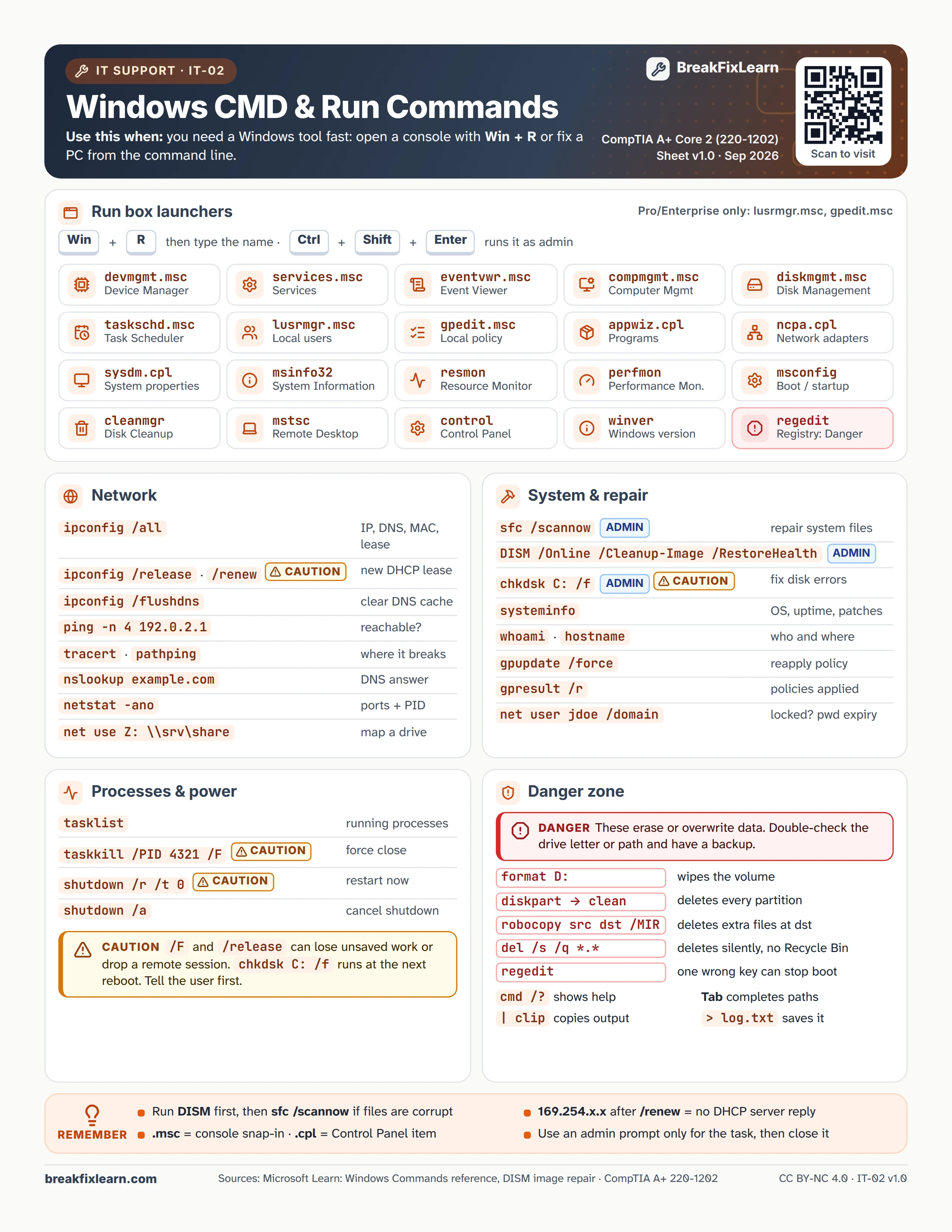
Use this when: you need a Windows tool fast: open a console with Win + R or fix a PC from the command line.
Text version
Everything on the sheet, as plain HTML: handy for screen readers, copy-paste and search.
Run box launchers
Press Win + R, type the name, and press Enter. Ctrl + Shift + Enter runs it as admin. lusrmgr.msc and gpedit.msc exist on Pro and Enterprise editions only.
| Type | Opens |
|---|---|
devmgmt.msc | Device Manager |
services.msc | Services |
eventvwr.msc | Event Viewer |
compmgmt.msc | Computer Management |
diskmgmt.msc | Disk Management |
taskschd.msc | Task Scheduler |
lusrmgr.msc | Local users and groups |
gpedit.msc | Local Group Policy |
appwiz.cpl | Programs and Features |
ncpa.cpl | Network adapters |
sysdm.cpl | System properties |
msinfo32 | System Information |
resmon | Resource Monitor |
perfmon | Performance Monitor |
msconfig | Boot and startup |
cleanmgr | Disk Cleanup |
mstsc | Remote Desktop |
control | Control Panel |
winver | Windows version |
regedit danger | Registry Editor |
Network
| Command | What it does |
|---|---|
ipconfig /all | IP, DNS, MAC and lease |
ipconfig /release and /renew caution | New DHCP lease |
ipconfig /flushdns | Clear the DNS cache |
ping -n 4 192.0.2.1 | Is it reachable? |
tracert, pathping | Where does it break? |
nslookup example.com | DNS answer |
netstat -ano | Ports and PIDs |
net use Z: \\srv\share | Map a drive |
System and repair
| Command | What it does |
|---|---|
sfc /scannow (admin) | Repair system files |
DISM /Online /Cleanup-Image /RestoreHealth (admin) | Repair the Windows image |
chkdsk C: /f (admin) caution | Fix disk errors |
systeminfo | OS, uptime and patches |
whoami, hostname | Who and where |
gpupdate /force | Reapply policy |
gpresult /r | Policies applied |
net user jdoe /domain | Locked? Password expiry |
Processes and power
| Command | What it does |
|---|---|
tasklist | Running processes |
taskkill /PID 4321 /F caution | Force close |
shutdown /r /t 0 caution | Restart now |
shutdown /a | Cancel a shutdown |
Caution. /F and /release can lose unsaved work or drop a remote session. chkdsk C: /f runs at the next reboot. Tell the user first.
Danger zone
Danger. These erase or overwrite data. Double-check the drive letter or path and have a backup.
| Command | Effect |
|---|---|
format D: | Wipes the volume |
diskpart, then clean | Deletes every partition |
robocopy src dst /MIR | Deletes extra files at the destination |
del /s /q *.* | Deletes silently, no Recycle Bin |
regedit | One wrong key can stop boot |
Handy: cmd /? shows help, Tab completes paths, | clip copies output, > log.txt saves it.
Remember
- Run DISM first, then
sfc /scannowif files are corrupt - 169.254.x.x after
/renewmeans no DHCP server replied - .msc is a console snap-in; .cpl is a Control Panel item
- Use an admin prompt only for the task, then close it
Sources
- Microsoft Learn, Windows commands reference
- Microsoft Learn, repair a Windows image with DISM
- CompTIA A+ certification objectives