IPv4 subnetting & VLSM
Use this when: you size a subnet, find the network, broadcast and host range, or plan addresses with VLSM.
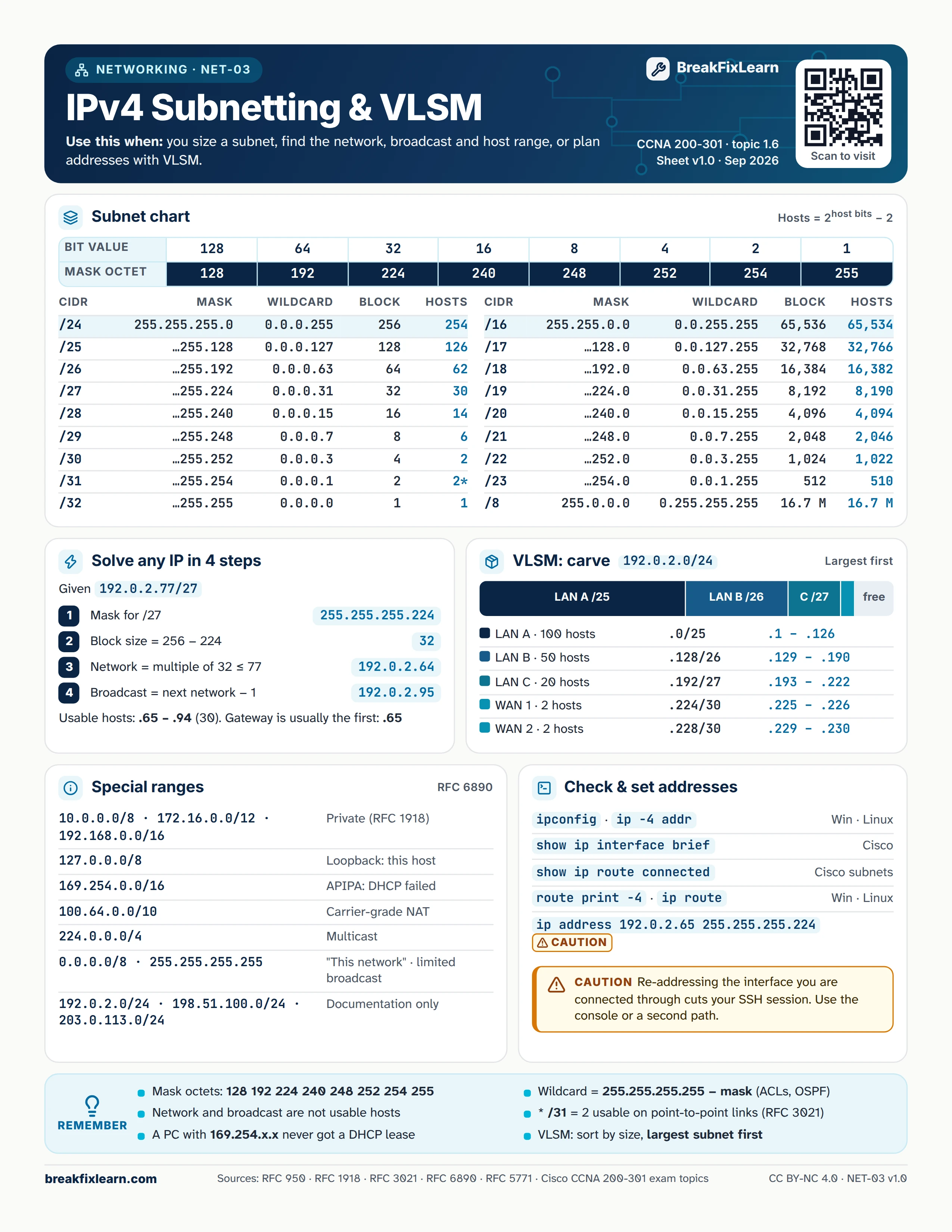
Text version
Everything on the sheet, as plain HTML: handy for screen readers, copy-paste and search.
Subnet chart
Usable hosts = 2host bits minus 2. Bit values across an octet: 128, 64, 32, 16, 8, 4, 2, 1. Matching mask octets: 128, 192, 224, 240, 248, 252, 254, 255.
| CIDR | Mask | Wildcard | Block size | Usable hosts |
|---|---|---|---|---|
| /8 | 255.0.0.0 | 0.255.255.255 | 16.7 M | 16.7 M |
| /16 | 255.255.0.0 | 0.0.255.255 | 65,536 | 65,534 |
| /17 | 255.255.128.0 | 0.0.127.255 | 32,768 | 32,766 |
| /18 | 255.255.192.0 | 0.0.63.255 | 16,384 | 16,382 |
| /19 | 255.255.224.0 | 0.0.31.255 | 8,192 | 8,190 |
| /20 | 255.255.240.0 | 0.0.15.255 | 4,096 | 4,094 |
| /21 | 255.255.248.0 | 0.0.7.255 | 2,048 | 2,046 |
| /22 | 255.255.252.0 | 0.0.3.255 | 1,024 | 1,022 |
| /23 | 255.255.254.0 | 0.0.1.255 | 512 | 510 |
| /24 | 255.255.255.0 | 0.0.0.255 | 256 | 254 |
| /25 | 255.255.255.128 | 0.0.0.127 | 128 | 126 |
| /26 | 255.255.255.192 | 0.0.0.63 | 64 | 62 |
| /27 | 255.255.255.224 | 0.0.0.31 | 32 | 30 |
| /28 | 255.255.255.240 | 0.0.0.15 | 16 | 14 |
| /29 | 255.255.255.248 | 0.0.0.7 | 8 | 6 |
| /30 | 255.255.255.252 | 0.0.0.3 | 4 | 2 |
| /31 | 255.255.255.254 | 0.0.0.1 | 2 | 2 (point-to-point, RFC 3021) |
| /32 | 255.255.255.255 | 0.0.0.0 | 1 | 1 |
Solve any IP in 4 steps
Example: 192.0.2.77/27.
| Step | Do this | Result |
|---|---|---|
| 1 | Write the mask for /27 | 255.255.255.224 |
| 2 | Block size = 256 minus 224 | 32 |
| 3 | Network = the multiple of 32 at or below 77 | 192.0.2.64 |
| 4 | Broadcast = next network minus 1 | 192.0.2.95 |
Usable hosts are .65 to .94 (30 hosts). The gateway is usually the first address: .65.
VLSM: carve 192.0.2.0/24
Sort by size and allocate the largest subnet first.
| Subnet | Needs | Network | Usable range |
|---|---|---|---|
| LAN A | 100 hosts | .0/25 | .1 to .126 |
| LAN B | 50 hosts | .128/26 | .129 to .190 |
| LAN C | 20 hosts | .192/27 | .193 to .222 |
| WAN 1 | 2 hosts | .224/30 | .225 to .226 |
| WAN 2 | 2 hosts | .228/30 | .229 to .230 |
Special ranges
| Range | Meaning |
|---|---|
| 10.0.0.0/8, 172.16.0.0/12, 192.168.0.0/16 | Private (RFC 1918) |
| 127.0.0.0/8 | Loopback: this host |
| 169.254.0.0/16 | APIPA: DHCP failed |
| 100.64.0.0/10 | Carrier-grade NAT |
| 224.0.0.0/4 | Multicast |
| 0.0.0.0/8, 255.255.255.255 | "This network" and limited broadcast |
| 192.0.2.0/24, 198.51.100.0/24, 203.0.113.0/24 | Documentation only |
Check and set addresses
| Command | Where |
|---|---|
ipconfig or ip -4 addr | Windows or Linux |
show ip interface brief | Cisco |
show ip route connected | Cisco, connected subnets |
route print -4 or ip route | Windows or Linux |
ip address 192.0.2.65 255.255.255.224 caution | Cisco interface config |
Caution. Re-addressing the interface you are connected through cuts your SSH session. Use the console or a second path.
Remember
- Mask octets: 128 192 224 240 248 252 254 255
- Network and broadcast addresses are not usable hosts
- A PC with 169.254.x.x never got a DHCP lease
- Wildcard = 255.255.255.255 minus the mask (ACLs, OSPF)
- /31 gives 2 usable addresses on point-to-point links (RFC 3021)
- VLSM: sort by size, largest subnet first
Sources
- RFC 950, Internet standard subnetting procedure
- RFC 1918, address allocation for private internets
- RFC 3021, 31-bit prefixes on point-to-point links
- RFC 6890, special-purpose address registries
- Cisco CCNA 200-301 exam topics