OSI & TCP/IP models
Use this when: you troubleshoot layer by layer, or need to place a protocol, device or attack at its layer.
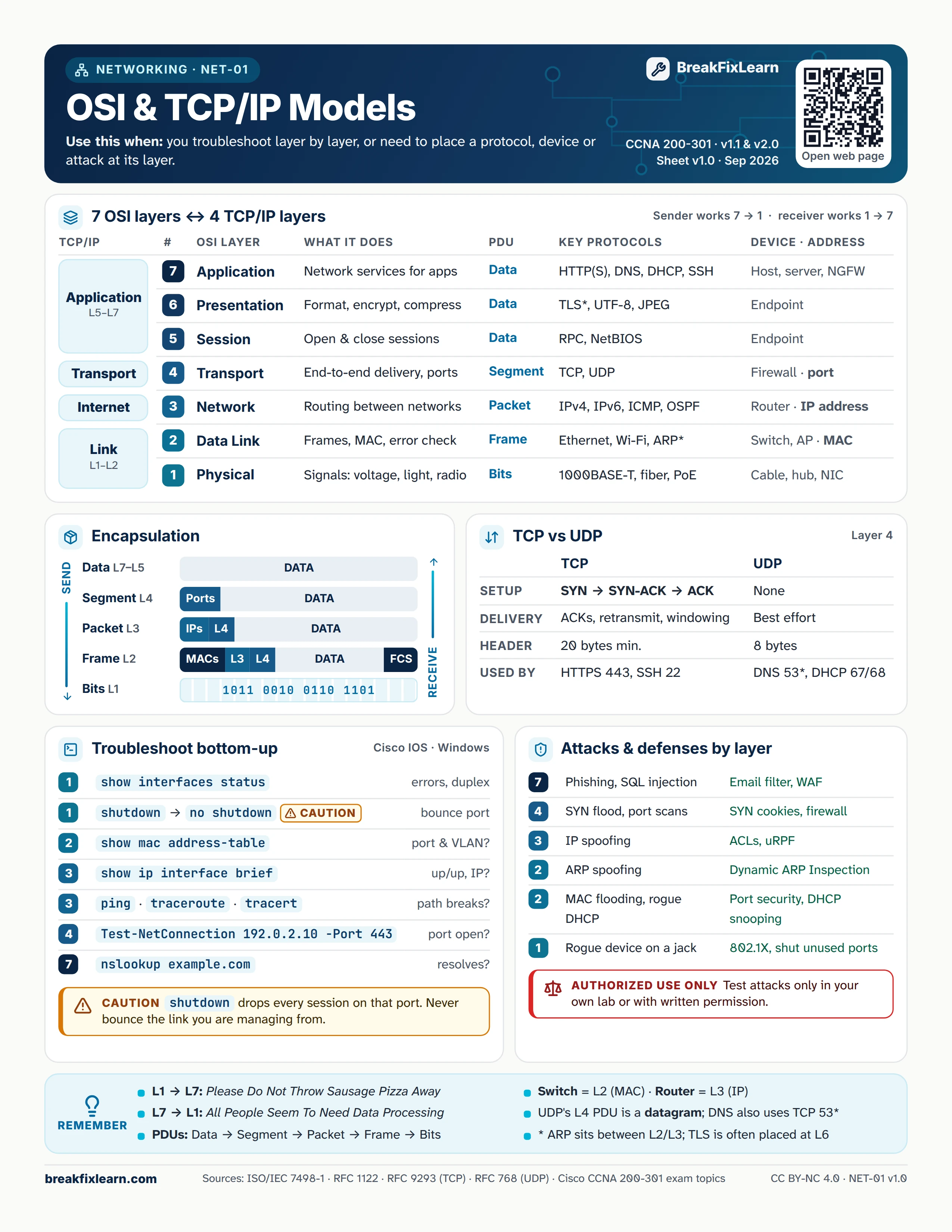
Text version
Everything on the sheet, as plain HTML: handy for screen readers, copy-paste and search.
7 OSI layers and 4 TCP/IP layers
The sender works down from layer 7 to layer 1; the receiver works back up from 1 to 7.
| TCP/IP | # | OSI layer | What it does | PDU | Key protocols | Device and address |
|---|---|---|---|---|---|---|
| Application (L5 to L7) | 7 | Application | Network services for apps | Data | HTTP(S), DNS, DHCP, SSH | Host, server, NGFW |
| 6 | Presentation | Format, encrypt, compress | Data | TLS*, UTF-8, JPEG | Endpoint | |
| 5 | Session | Open and close sessions | Data | RPC, NetBIOS | Endpoint | |
| Transport | 4 | Transport | End-to-end delivery, ports | Segment | TCP, UDP | Firewall, port |
| Internet | 3 | Network | Routing between networks | Packet | IPv4, IPv6, ICMP, OSPF | Router, IP address |
| Link (L1 to L2) | 2 | Data Link | Frames, MAC, error check | Frame | Ethernet, Wi-Fi, ARP* | Switch, AP, MAC address |
| 1 | Physical | Signals: voltage, light, radio | Bits | 1000BASE-T, fiber, PoE | Cable, hub, NIC |
Encapsulation
On the way down, each layer wraps the one above it. On the way up, the receiver strips each header in reverse.
| PDU | Layer | What it carries |
|---|---|---|
| Data | L7 to L5 | Application data |
| Segment | L4 | Ports + data |
| Packet | L3 | IP addresses + L4 header + data |
| Frame | L2 | MAC addresses + L3 + L4 + data + FCS trailer |
| Bits | L1 | The frame as a signal, for example 1011 0010 0110 1101 |
TCP vs UDP (layer 4)
| TCP | UDP | |
|---|---|---|
| Setup | SYN, SYN-ACK, ACK | None |
| Delivery | ACKs, retransmit, windowing | Best effort |
| Header | 20 bytes minimum | 8 bytes |
| Used by | HTTPS 443, SSH 22 | DNS 53*, DHCP 67/68 |
Troubleshoot bottom-up
Cisco IOS and Windows commands, in the order you would run them.
| Layer | Command | What it answers |
|---|---|---|
| 1 | show interfaces status | Errors, duplex |
| 1 | shutdown then no shutdown caution | Bounce the port |
| 2 | show mac address-table | Which port and VLAN? |
| 3 | show ip interface brief | Up/up? Right IP? |
| 3 | ping, traceroute, tracert | Where does the path break? |
| 4 | Test-NetConnection 192.0.2.10 -Port 443 | Is the port open? |
| 7 | nslookup example.com | Does the name resolve? |
Caution. shutdown drops every session on that port. Never bounce the link you are managing the device from.
Attacks and defenses by layer
| Layer | Attack | Defense |
|---|---|---|
| 7 | Phishing, SQL injection | Email filter, WAF |
| 4 | SYN flood, port scans | SYN cookies, firewall |
| 3 | IP spoofing | ACLs, uRPF |
| 2 | ARP spoofing | Dynamic ARP Inspection |
| 2 | MAC flooding, rogue DHCP | Port security, DHCP snooping |
| 1 | Rogue device on a wall jack | 802.1X, shut unused ports |
Authorized use only. Test attacks only in your own lab or with written permission.
Remember
- L1 to L7: Please Do Not Throw Sausage Pizza Away
- L7 to L1: All People Seem To Need Data Processing
- PDUs: Data, Segment, Packet, Frame, Bits
- Switch = L2 (MAC). Router = L3 (IP).
- UDP's layer 4 PDU is a datagram. DNS also uses TCP 53 (zone transfers and large answers).
- * ARP sits between L2 and L3; TLS is often placed at L6.
Sources
- ISO/IEC 7498-1:1994, OSI basic reference model
- RFC 1122, requirements for Internet hosts
- RFC 9293, Transmission Control Protocol
- RFC 768, User Datagram Protocol
- Cisco CCNA 200-301 exam topics